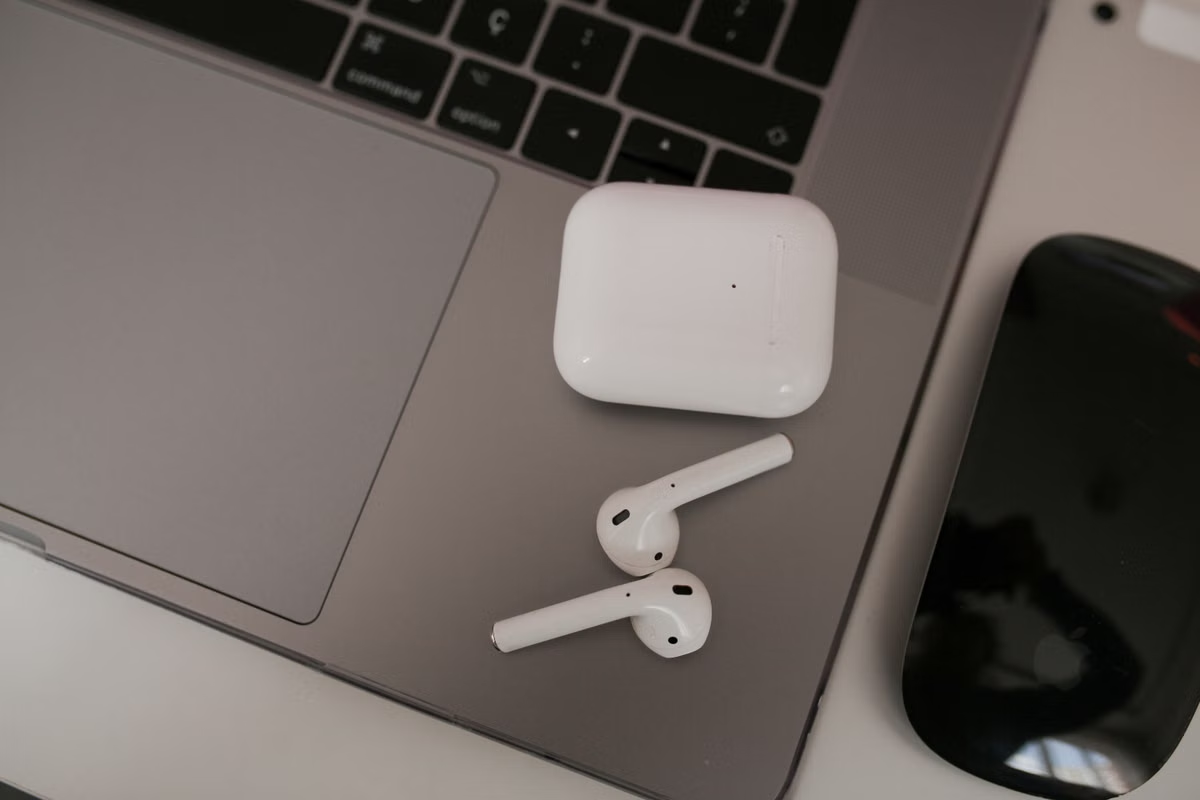
Do not plan around a confirmed product yet: the 2026 Camera AirPods latest news shows that Apple has at least tested AirPods-related hardware with visual sensing, but the name, camera purpose, release date, and price remain unconfirmed. This applies whether you are evaluating a purchase, designing a wearable AI product, or reviewing privacy requirements.
Last updated August 24, 2026. The status was checked against the reported macOS Tahoe 26.7 evidence, Apple’s current AirPods materials, Visual Intelligence documentation, and Apple privacy guidance.
Who should keep reading?
This guide is for product managers and developers researching multimodal AI and hands-free wearable interaction. It also helps security teams assessing camera permissions, data handling, and bystander privacy.
Apple ecosystem teams can use the decision framework to judge whether Camera AirPods could become a new application surface without treating a rumor as a shipping platform.
The short answer: visual sensing is more credible than a pocket camera
The strongest interpretation of the available evidence is not “AirPods are about to replace your phone camera.” It is that Apple has explored a wearable device that could connect audio interaction with visual context.
That distinction matters.
A camera on or near an earbud could support an AI question such as identifying an object, interpreting a nearby scene, or retrieving information about something you are looking at. The user might receive the response through audio rather than a screen. But no public evidence in the supplied reporting confirms a consumer photography workflow, a final sensor design, continuous recording, or a dedicated Camera AirPods product.
Apple’s existing Visual Intelligence materials show that visual understanding is already a documented software direction. They do not prove that AirPods will gain the same capability. Review the Apple Visual Intelligence App Intents documentation before connecting a rumor to a production API.
Action for this week: prototype the interaction with existing hardware, write down privacy boundaries, and postpone any investment tied to a proprietary AirPods camera interface.
First, separate the device rumor from the feature assumption
Search interest around AirPods camera rumors often collapses several different claims into one imagined product. You should keep them separate:
- A reported internal project is not a product announcement.
- A code resource is not proof of final hardware.
- A demonstration is not proof of a shipping user experience.
- A device identifier is not proof of a retail name.
- Visual understanding is not the same as photography or video recording.
- A late testing stage is not a confirmed release window.
- A price estimate is not an Apple price.
The reported evidence therefore supports a narrow conclusion: Apple may be testing visual capabilities in an audio-first wearable form. It does not establish what the sensor sees, when it activates, where processing occurs, or what the customer can save.
The macOS Tahoe 26.7 code and demonstration report is useful because it connects the rumor to software resources rather than relying only on anonymous product speculation. Still, the report remains media evidence. It is not an Apple product page or developer release note.
What each evidence type can actually prove
| Evidence type | What it supports | What it cannot confirm |
|---|---|---|
| macOS Tahoe 26.7 code or resource files | Apple software may contain support for an internal or test device path | A retail launch, final hardware, or public API |
| Demonstration video reported by media | A prototype or concept may have shown visual interaction | That the same behavior will ship unchanged |
| Device identifiers | Separate internal projects may exist | The final product name or sales channel |
| Media report about testing | A project may have reached a reported development milestone | A fixed event date or guaranteed release |
| Official Apple documentation | A published capability, permission model, or framework | An unreleased AirPods camera |
This is the key boundary for the 2026 Camera AirPods latest news. The code evidence is stronger than a random social post, but weaker than a formal announcement.
Camera AirPods and Visual Intelligence: what the interaction could look like
The likely product question is not “How many megapixels will the AirPods camera have?” No reliable source in the supplied material confirms a camera resolution, field of view, frame rate, or recording mode. Avoid building a specification sheet from those missing details.
A more defensible model is a three-part interaction:
- You give a voice instruction.
- The wearable captures or receives visual context.
- An AI system returns a spoken response or triggers another action.
Possible scenarios include asking what is in front of you, checking a visual detail while your hands are occupied, or storing a user-approved piece of contextual information. These are functional directions, not confirmed Camera AirPods features.
The software layer could connect with Apple’s broader visual frameworks. Apple’s VisionKit documentation describes supported visual experiences for Apple platforms, but it does not announce a camera-equipped AirPods API. A developer can study the interaction patterns today without assuming that a future ear-worn sensor will expose the same interfaces.
The important design change is that audio becomes the primary output. There may be no screen, no persistent preview, and no obvious moment when a nearby person knows that visual data is being considered. That makes confirmation, spoken feedback, and predictable activation more important than a long feature list.
Evidence versus assumption: the current planning table
Use this table when someone asks whether the project is real enough to enter a roadmap.
| Question | Current position | Planning confidence |
|---|---|---|
| Has Apple officially launched Camera AirPods? | No. The product is not confirmed in the supplied official AirPods materials. | None |
| Has Apple reportedly tested visual AirPods-related technology? | Yes. Media reports connect code, resources, demonstrations, and internal testing claims to the project. | Medium |
| Is the camera definitely for photos or video? | No. Environmental understanding and visual AI are more cautious interpretations. | Low |
| Is Visual Intelligence confirmed on AirPods? | No. It is an Apple software concept and documented capability area, not proof of an AirPods implementation. | Low |
| Is a release date known? | No. Different wearable projects may be discussed together. | None |
| Is a price known? | No reliable Apple price is available for an unannounced product. | None |
| Is a public developer API available? | No confirmed Camera AirPods-specific API is available in the supplied sources. | None |
Do not convert “medium” into certainty. It only means the claim has more substance than an unsupported rumor.
Privacy is the harder product problem
An AirPods camera would sense the world from a wearable that looks familiar and compact. That creates a different privacy problem from a phone held visibly in front of your face.
Apple would need to answer at least these questions:
- What physical or software indicator shows that visual sensing is active?
- Can the wearer activate it accidentally through a voice command?
- Can the device process a scene locally, or must images or descriptions reach a remote service?
- Is raw visual data retained?
- How long are derived descriptions, embeddings, transcripts, or prompts stored?
- Can a person nearby request that sensing stop?
- Can administrators restrict the feature on managed devices?
- What happens when the wearer enters a school, workplace, clinic, or private home?
- Does the device capture faces, screens, documents, or license plates by default?
- Can an app request ongoing access, or must each visual action be user initiated?
Apple’s current camera and microphone indicator guidance provides an existing reference for how active sensors can be surfaced to users. Its hardware permission controls are also relevant to permission design. Neither document confirms the behavior of an unreleased AirPods camera.
Apple’s Intelligence Engine privacy explanation can help you compare local processing, private cloud processing, and data minimization principles. It still cannot be used to claim that Camera AirPods will use a specific processing path.
Treat bystander privacy as a launch requirement, not a later settings screen. If your prototype cannot explain when sensing starts, what leaves the device, and when data is deleted, it is not ready for a wearable test.
The Apple Vision Pro privacy overview is another useful design reference because it discusses spatial and visual data concerns. It is not a compliance conclusion for AirPods. The hardware, sensors, operating system behavior, and use cases could differ substantially.
A release date and price forecast needs a confidence label
The release rumor is unstable because “camera-equipped AirPods” may refer to more than one internal effort. Bloomberg has reported on a wider Apple wearable roadmap that includes camera Airpods alongside other form factors. One February 17, 2026 report should therefore be read as roadmap reporting, not as an event announcement.
A later May 7, 2026 Bloomberg report describes an advanced testing stage. That may indicate project maturity, but it still does not provide a confirmed sales date.
Price forecasts are even weaker. Without an official product name, sensor configuration, manufacturing plan, or sales page, a precise dollar figure would be invented precision. The safe conclusion is that no reliable price is available as of August 24, 2026. If a forecast appears, label it as a media or analyst rumor and do not use it in a procurement decision.
| Planning decision | If this condition is true | Use this approach |
|---|---|---|
| Buy now | You need reliable audio, calls, or current accessibility features | Evaluate currently sold AirPods using Apple’s official AirPods Pro product page, not an unreleased camera rumor |
| Wait for news | Your use case depends specifically on visual sensing in an ear-worn device | Set a review date after an Apple announcement or public developer documentation |
| Prototype now | Your value proposition is voice-first visual assistance | Build against current Mac and mobile workflows with explicit consent and synthetic or user-provided images |
| Start hardware integration | You need a device identifier, camera permission, or exclusive AirPods API | Do not start; no confirmed public Camera AirPods interface is available |
| Assess compliance now | Your product could capture nearby people or confidential material | Model permissions, indicators, retention, deletion, and bystander handling before hardware selection |
A developer preparation path that does not depend on the rumor
Step one: define the hands-free task
Write the interaction as a short user journey. For example: the user asks for visual context, confirms that sensing should begin, receives an audio answer, and decides whether to save the result.
Do not begin with a sensor specification. Begin with the decision the user needs to make.
Step two: prototype the audio loop
Use an existing microphone, a current multimodal model, and spoken output. Test interruptions, uncertain answers, background noise, and repeated questions. A wearable interface cannot assume that the user is looking at a screen to correct an error.
You can compare agent patterns in this AI agent development modes guide, then adapt only the voice and visual parts relevant to your workflow.
Step three: isolate visual input
Keep the camera source replaceable. Your prototype should accept a user-selected image, a controlled camera frame, or a test fixture. This lets you validate the AI task without claiming that a future AirPods sensor will provide a particular stream.
Record test inputs and outputs separately. Do not retain raw images by default.
Step four: build authorization into every visual action
Use clear states:
- Visual sensing unavailable.
- User is being asked for permission.
- User has approved one action.
- Processing is active.
- Result is ready.
- Data has been deleted or retained under an explicit rule.
Avoid an invisible background mode. The user should understand whether the system is listening, looking, processing, or storing.
Step five: test bystander and sensitive-data failures
Create test cases involving another person’s face, a laptop screen, a printed document, a medical environment, and a private conversation. The goal is not to claim that Apple will handle these cases in a particular way. The goal is to expose what your own product would do if visual input contains sensitive material.
Step six: keep the API boundary portable
Use an adapter between your agent and the input device. The adapter should expose a general event such as “approved visual context received,” not a fictional Camera AirPods method. This reduces rework if Apple ships a different form factor, a restricted framework, or no public interface.
For an isolated Mac workspace, review the local versus cloud development environment comparison. The right environment depends on whether you need local data control, temporary capacity, remote access, or repeatable testing.
Step seven: document the data path
For every input, write down:
- Where raw visual data enters.
- Whether it is transformed locally.
- Which service receives the prompt or description.
- Whether logs contain images, text, or identifiers.
- When temporary files are deleted.
- How a user can revoke access.
This document will remain useful even if Camera AirPods never ship.
Decision checklist: wait, prototype, or stop
Use the following conditions before assigning budget:
- [ ] If your product value comes from hands-free visual context rather than a specific Apple sensor, choose prototype now.
- [ ] If you need a confirmed Camera AirPods camera API, choose wait.
- [ ] If your design cannot show when sensing is active, choose stop and redesign.
- [ ] If raw images are stored without a clear retention reason, choose stop and redesign.
- [ ] If your tests use only the wearer’s perspective, choose prototype with bystander cases before any pilot.
- [ ] If your roadmap depends on a rumored release month, choose wait for an official announcement.
- [ ] If you need temporary Mac capacity for controlled agent testing, choose an isolated remote environment rather than purchasing hardware solely for the rumor.
- [ ] If your workload is a long-running, stable, high-volume production service, evaluate owned infrastructure or a permanent deployment separately; a temporary test environment is not automatically the right operating model.
This gives you a practical fallback. You can validate the user experience without pretending that a future device, sensor, or API has already been specified.
What the rumor means for Mac-based AI work
A Mac is useful here because the current engineering problem is orchestration, not Camera AirPods hardware. You can test permission states, multimodal prompts, audio output, agent tools, logging, and deletion policies in an isolated development environment.
That also makes the experiment easier to repeat. A team can change the model, input adapter, or retention policy without replacing its entire application. The prototype should prove that users receive value from a short visual interaction. It should not prove an unannounced specification.
For teams exploring broader agent workflows, the AI coding and agent workflow research can help separate orchestration decisions from device-specific assumptions. Use that research to plan tasks and evaluation, not to infer an Apple API.
Current hardware versus a Mac prototype
Current AirPods can serve as an audio interface, but they cannot validate a rumored visual sensor. A phone can provide visual input, but it changes the user posture and may make privacy prompts more visible. A Mac environment can isolate the agent, mock the camera event, and log the full data path, but it does not reproduce an ear-worn field of view or real-world mobility.
That trade-off is why a prototype should combine available hardware rather than wait for a speculative product. You are testing the interaction contract first.
If you are deciding between buying unknown future hardware and building now, choose the latter when the core question is whether people want voice-led visual assistance. Choose waiting only when the physical placement, sensor behavior, or Apple-specific distribution channel is itself the research question.
Final recommendation: validate the interaction before the accessory
The current Camera AirPods evidence is meaningful but narrow. Code resources, reported demonstrations, and media claims suggest that Apple has explored visual perception in an AirPods-related project. They do not confirm the product name, camera function, privacy model, release date, price, or developer access.
A rumor-led hardware purchase would leave you with no guaranteed API and no confirmed launch schedule. A phone-only prototype can distort the hands-free experience and expose sensitive data through an improvised workflow. A controlled Mac environment gives you a better place to test agent behavior, permissions, and retention before the hardware question is settled.
If you need temporary compute or an isolated place to test a multimodal agent, renting a Mac from Hashvps can be more flexible than buying hardware for an unannounced accessory. Keep the scope honest: use it for prototypes and validation, then reassess local ownership or a permanent deployment for stable, long-running workloads. The right next step is not to wait for a rumored price. It is to prove that your visual interaction remains useful and safe even when the future device is still unknown.
FAQ
Prepare for the Next Wave of AI Hardware
Review the privacy requirements for camera-enabled devices before you design a visual AI workflow.
Learn how to test multimodal features with today’s hardware without depending on unconfirmed AirPods capabilities.