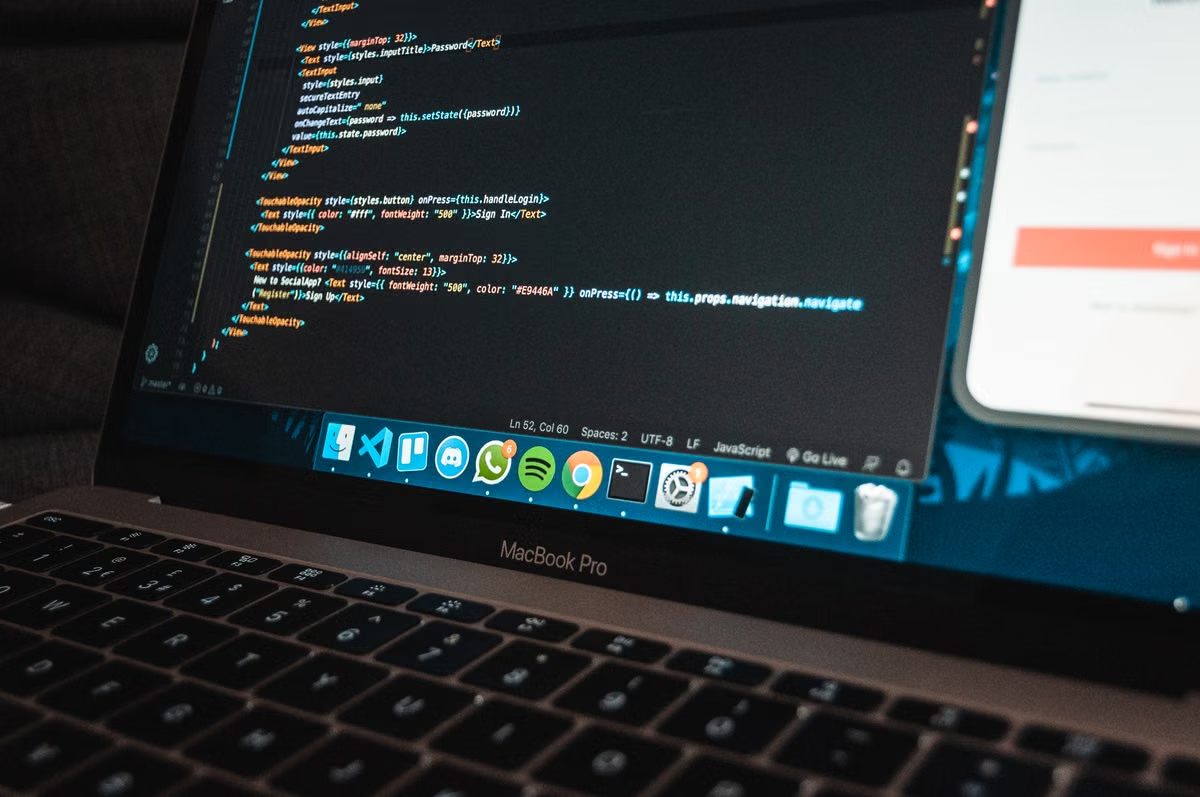
Your remote Mac session keeps losing its shell state, cannot find the right Xcode tools, or lets an AI agent touch more files than expected.
Use Claude Code when interactive repository work, MCP, and an established Claude workflow matter most. Use Codex when Responses API tooling, OpenAI integrations, or a managed execution model matter most. Keep the Mac environment replaceable, and test both tools against the same repository before setting a team standard.
Who this guide is for
You may be a developer whose local machine lacks the required macOS tools. You may lead a team that needs one reproducible coding environment. Or you may already have CI commands that an AI coding agent must run without breaking existing controls.
This is a workflow decision, not a model intelligence contest. The right choice depends on repository behavior, tool permissions, authentication, logging, and how well the agent fits your Mac build process.
Reminder: A remote Mac does not automatically make an unsafe workflow safe. The host, account, repository token, shell permissions, and approval policy still define the real security boundary.
Last updated August 18, 2026. Product capabilities and installation assumptions were checked against the Claude Code getting-started documentation, Claude Code CLI reference, Codex developer materials, the MCP specification, and Apple’s Xcode command-line tools documentation. Re-run the core trial when installation, authentication, tool support, or execution architecture changes.
The decision frame: workflow fit over model claims
Claude Code vs Codex becomes easier to evaluate when you separate the decision into measurable areas.
Choose Claude Code first if:
- Your developers already use Claude-oriented coding workflows.
- The agent must inspect, edit, and test a repository through an interactive terminal loop.
- MCP servers are already part of your internal workflow.
- You want to preserve a familiar command-line operating model while adding approved tools.
Choose Codex first if:
- Your team already has OpenAI API or Responses API integrations.
- External tool calls need to fit an existing OpenAI-centered orchestration layer.
- You are designing a managed execution workflow rather than relying on one developer’s interactive session.
- Your platform team owns API credentials, job isolation, and execution logs.
Keep both replaceable if:
- The repository can be built through documented shell commands.
- CI already defines the expected checks.
- Authentication is separate from the agent’s personal account.
- Every change can be reviewed and reverted through version control.
The most important result is not which agent completes a toy prompt faster. It is whether another developer can reproduce the same task from the same commit, with the same permissions, and understand every command that ran.
For broader background on agent selection, you can also review Hashvps’s AI coding agent comparison guide. Use it as context, not as a substitute for a same-environment trial.
Repository operations: interactive editing versus managed execution
A useful trial starts with the repository itself. Do not compare the tools using different projects or loosely worded prompts.
Give both agents:
- The same sanitized repository.
- The same starting commit.
- The same shell and runtime versions.
- The same test command.
- The same network policy.
- The same write permissions.
- The same definition of a successful result.
Then inspect five operations.
File discovery
Can the agent identify the relevant files without scanning unrelated secrets or generated directories? A good setup makes the repository structure explicit through ignore rules, working-directory limits, and a short project instruction file.
Claude Code’s CLI workflow is documented around terminal use and command options. That makes it suitable for evaluating how an agent moves from repository inspection to a proposed edit in an interactive session. Start with a read-only pass, then grant write access only after the file scope is clear.
Codex should be evaluated in the same way. The key question is not whether it can read files in principle. Ask whether your chosen Codex integration exposes the repository, shell, and approval behavior in a form your team can observe and control. The relevant implementation details should come from the official OpenAI developer materials, not from a comparison based on unrelated demos.
File modification
A reliable agent should explain which files it plans to change and avoid silently expanding the task. Check whether it:
- Preserves formatting and project conventions.
- Avoids modifying generated files unnecessarily.
- Keeps unrelated changes out of the patch.
- Reports a concise diff.
- Stops when a required dependency or permission is missing.
Do not score only “the code works.” A patch that passes tests but changes configuration, credentials, or release files without approval creates a team problem.
Test execution
The agent must use the repository’s real commands. If your project uses a wrapper script, make that script the documented entry point. If the build needs environment variables, provide safe placeholders and record which variables were unavailable.
For Apple development, verify whether the command-line tools are installed and visible to the shell. Apple documents the installation path for Xcode command-line tools in its official installation guide. This matters because a terminal agent can appear functional while failing later when xcodebuild, simulators, signing tools, or language packages are missing.
Command execution
Compare the approval path, not just the command list. A command that reads source files is different from one that removes files, changes Git history, uploads an artifact, or contacts an external service.
Record:
- The exact command.
- The working directory.
- Whether approval was required.
- The exit status.
- Files changed afterward.
- The human action taken after failure.
This gives you evidence about command boundaries and recovery effort.
Failure handling
Force a controlled failure. Remove a non-sensitive dependency, make one test fail, or deny one permission. Then observe whether the agent explains the failure, proposes a bounded correction, and leaves the repository in a recoverable state.
A failed task is not automatically a poor result. An unreported destructive action is a poor result.
Tool ecosystems: MCP, API tools, and ownership
MCP is useful when you need a standard boundary between an agent and external tools. The protocol defines concepts for clients, servers, tools, resources, and structured interactions. Read the MCP specification before treating an MCP server as a harmless plug-in.
Claude Code with MCP
Claude Code using MCP can fit a workflow where the agent needs approved access to documentation, issue records, code search, or internal development services. The advantage is consistency: the agent can work through declared tool interfaces instead of receiving ad hoc instructions for every integration.
That advantage has conditions:
- Each MCP server needs an owner.
- Credentials must be scoped to the smallest useful permission.
- Tool descriptions must state side effects.
- Network destinations must be known.
- Logs must connect a tool call to a user and task.
- Servers need an update and retirement process.
MCP does not remove the need for permission design. It can make the boundary clearer, but a badly configured server can still expose sensitive data or perform high-impact actions.
Codex and API-centered integration
Codex may be a better fit when your organization already treats agent work as an API-controlled job. OpenAI’s Responses API materials describe tool-oriented response flows, including streaming events and refusal-related output handling in the API reference.
For a remote Mac, this can support a managed pattern:
- A scheduler creates a task.
- A worker checks out a known commit.
- The agent receives limited tools.
- Commands run inside a controlled workspace.
- Logs and patches return to a review system.
- The worker is discarded or reset after completion.
This architecture can be easier to standardize than a permanent interactive session. It also creates more engineering work. Your team must build job isolation, credential delivery, retries, log retention, and approval handling.
Tool quantity should not decide the purchase. Count ownership questions instead. Who approves a new server? Who rotates its credentials? Who investigates a tool call that returned unexpected data? Who can disable it during an incident?
Remote Mac fit: installation, shell, and Apple toolchains
A remote Mac is useful only when it behaves like a documented development host rather than an undocumented personal computer.
Installation and authentication
Start with a clean account or a dedicated team-owned account. Install the agent using the vendor’s documented method. Do not copy a developer’s entire home directory to the host.
Check:
- Installation source and update process.
- Supported shell.
- Login method.
- Repository authentication.
- API key storage.
- SSH key scope.
- Session timeout behavior.
- Recovery after a disconnected terminal.
Claude Code’s official setup documentation should be the baseline for its installation and authentication checks. For Codex, document the exact client or integration you are using, then verify it against the official OpenAI developer documentation. Avoid assuming that a desktop workflow, CLI workflow, and API workflow have identical permissions.
Shell and dependency caching
The agent must see the same shell initialization that your build uses. Hidden aliases and personal shell functions make results hard to reproduce. Prefer explicit scripts and pinned dependency instructions.
Dependency caches can save transfer time, but they can also hide missing setup steps. A clean trial should show whether the project works without a developer’s private cache. After that, decide which caches are safe to persist and how they are invalidated.
Xcode, simulators, and signing
Apple projects add constraints that generic coding-agent comparisons often miss.
Verify the following before the agent touches application code:
- The intended Xcode toolchain is installed.
xcodebuildcan locate the workspace or project.- Required simulators are available.
- The build can run without an interactive password prompt.
- Signing identities are present only where necessary.
- Provisioning assets are not broadly readable.
- App Store or distribution credentials remain outside the agent’s normal workspace.
A successful unit test does not prove that archive, signing, simulator, or device deployment will work. Treat those as separate acceptance tests.
Disconnect recovery
Long tasks expose weak remote setups. Use a session mechanism that survives a dropped client connection, or use a job runner that records output independently of the terminal. The agent should not be the only place where task state exists.
Before team adoption, disconnect deliberately during a test. Confirm that you can determine:
- Which command was running.
- Whether it completed.
- Which files changed.
- Whether the agent can resume safely.
- Whether a duplicate retry could create a second release, migration, or upload.
Team controls: reproducibility, logs, and rollback
A shared remote Mac can solve local hardware constraints while creating account and audit risks.
Do not let several people operate through one personal account. Shared credentials weaken attribution and make it difficult to revoke one person’s access without interrupting everyone else.
Use separate layers:
- Individual identity for the request and review.
- Team-owned environment for the host and dependencies.
- Repository permissions for source and branch operations.
- Agent permissions for files and commands.
- Service credentials for external tools.
- CI permissions for release or deployment actions.
The agent should not receive direct permission to push to protected branches by default. Let it prepare a patch or branch. Require human review before merge, release, or destructive database work.
Logs should include the task identifier, starting commit, prompt or task brief, tool calls, shell commands, approvals, exit status, changed files, and final test result. Redact tokens and private source content before sharing logs with the wider team.
Version control remains the rollback mechanism. Require a clean starting state, create a recoverable branch, and keep generated artifacts separate from source changes. If the agent cannot explain its patch, stop the task and reset rather than layering another instruction on top.
A controlled trial: three task classes
Run both tools in the same remote Mac environment. Use a sanitized repository and preserve the starting commit.
Task class one: bounded feature change
Ask the agent to add a small feature with an existing test pattern. Measure:
- Files inspected.
- Files changed.
- Test commands used.
- Unrelated edits.
- Required approvals.
- Human corrections.
This tests repository navigation and patch discipline.
Task class two: failing test diagnosis
Give the agent a reproducible failing test. Do not explain the root cause. Measure whether it isolates the failure, changes the smallest useful area, and records why the fix works.
This tests terminal reasoning and recovery. It also exposes whether the agent repeatedly runs expensive or destructive commands without narrowing the problem.
Task class three: maintenance and environment work
Ask for a dependency update, build-script correction, or Xcode command-line validation. Keep credentials and release actions disabled.
This tests the boundary between code editing and environment administration. A tool that performs well on source changes may still be unsuitable for infrastructure changes if its approval and logging controls are weak.
Record results in a shared review document. Do not reduce the outcome to a single completion percentage. Categorize failures as environment, permission, tool integration, repository misunderstanding, test failure, or human instruction error.
FAQ: choosing the workflow
The answers below address common remote Mac and team adoption decisions without treating either tool as a universal winner.
A short decision checklist
- [ ] Prepare one sanitized repository and record its starting commit.
- [ ] Write the exact build, test, lint, and package commands.
- [ ] Install Claude Code and Codex through documented, team-approved methods.
- [ ] Create separate credentials for repository access and external tools.
- [ ] Verify the shell, runtimes, dependency installation, and Xcode command-line tools.
- [ ] Test read-only inspection before enabling file writes.
- [ ] Run the same feature, diagnosis, and maintenance tasks with both agents.
- [ ] Capture commands, approvals, changed files, failures, and test results.
- [ ] Test a disconnected session and a denied permission.
- [ ] Block direct release and protected-branch access until human review is complete.
- [ ] Select the default based on workflow fit, then keep the environment and repository process portable.
Current setup versus a rented Mac workflow
If your current approach is a personal Mac with an ad hoc agent setup, you may face limited local resources, a dependency state known only to one developer, and no clean separation between personal and team credentials. A local machine can also be difficult to reproduce when its Xcode version, simulator set, shell configuration, and caches drift over time. Hashvps’s guide to local versus cloud development resources provides additional context for evaluating that trade-off.
A self-managed physical Mac gives you more hardware control, but it adds purchasing, maintenance, patching, account management, and replacement work. A general-purpose cloud host may avoid some hardware costs, yet it cannot provide the same macOS and Xcode workflow when Apple tooling is central to the project.
For short trials, temporary CI debugging, agent evaluation, or a remote Apple build environment, renting a Mac through Hashvps can be easier to control than changing every developer’s local setup. You can prepare the host, run the same repository tasks, capture the evidence, and decide whether the workflow deserves a longer commitment.
It is not the best fit for every case. Buy or permanently manage a Mac when you need stable long-term heavy usage, physical devices, specialized peripherals, or continuous access to local signing hardware. For a limited evaluation or a team that needs a clean remote Mac without committing to new hardware, a rental gives you a reversible test path.
FAQ
Build Your Remote Mac Development Environment with Hashvps
Rent a dedicated remote Mac from Hashvps and run your preferred coding tools in a consistent environment.
Connect to your Mac from anywhere and keep your repositories, terminals, and development sessions ready to use.