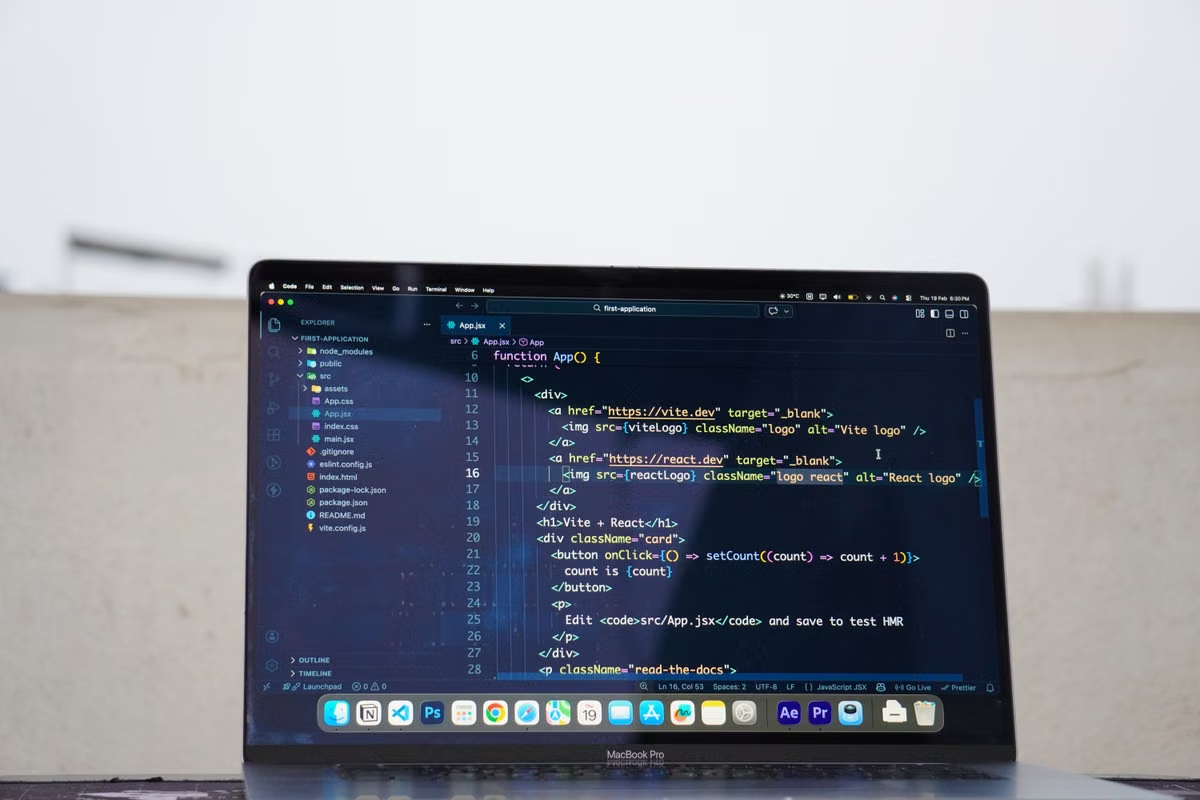
The common assumption is simple: Gemini API work happens on the backend, so any cheap Linux server should be enough. That is true for some projects. It stops being true when your product also needs iOS builds, simulator testing, native signing, cross-platform packaging, or a remote development workflow that several people can use.
That is where Gemini API cloud Mac development becomes a planning decision rather than a hardware preference. You are not only renting CPU and memory. You are choosing a macOS version, an Xcode environment, a storage policy, a network identity, a remote access method, and a way to keep secrets away from client applications.
This guide shows how to evaluate that combination before you commit to a monthly plan.
Workload scope
Not every Gemini API project needs a Mac. Start by separating the work that can run anywhere from the work that requires Apple tooling.
A standard backend that sends requests to the Gemini API can usually run on Linux, Windows, or macOS. If your application uses Python, JavaScript, REST, or another server-side stack, the operating system is often secondary. The important requirements are outbound network access, secret storage, logging, rate-limit handling, and a reliable deployment process. Google's official Gemini API getting started guide confirms that API access depends on authentication and project-level usage controls, not on a particular desktop operating system.
A Mac becomes more relevant in four situations:
- iOS applications: You need Xcode, iOS SDKs, simulators, signing tools, and archive workflows.
- Cross-platform applications: You use a shared codebase but still need native iOS compilation and device testing.
- Continuous integration: Your release pipeline must build, sign, test, or package Apple targets.
- Remote team development: Developers need a consistent macOS environment instead of maintaining different local machines.
The distinction matters because a backend-only Gemini project may not justify a Mac rental. An AI-powered iOS application often does.
Development environment
The question “How should you choose a Gemini API development environment?” is easier to answer when you map your daily tasks instead of comparing processor names.
Record these workload characteristics for one representative week:
- How many times do you run
xcodebuild? - How often do you open one or more iOS simulators?
- Do local services run beside Xcode?
- Do you build Docker images or cross-platform packages?
- Does another developer or CI process use the machine at the same time?
- How large are your source trees, simulator runtimes, dependency caches, and build artifacts?
- Do you need the machine to remain available overnight?
A lightweight setup may be enough for one developer who mainly uses SSH, edits code remotely, and performs occasional iOS builds. A larger memory tier becomes more sensible when Xcode, a simulator, a local database, a browser, test runners, and a Gemini API proxy run together.
The hidden limitation is usually memory contention, not a lack of peak CPU performance. Unified memory is shared by the operating system, IDE, simulator, containers, and background services. When several tasks compete at once, the symptoms include slow indexing, swap activity, delayed simulator launches, and failed builds caused by disk pressure after repeated cache growth.
Practical warning: Do not size the machine from the Gemini API call itself. The API request may be lightweight; the surrounding iOS build, simulator, test, and caching workload is often what determines the required Mac tier.
Mac rental requirements
When deciding how to rent a cloud Mac, compare operational conditions rather than looking only at the headline specification.
macOS and Xcode compatibility
Check whether the machine supports the macOS version required by your current Xcode release and deployment target. A remote Mac that cannot run your required toolchain creates a migration problem before development begins.
You should also confirm:
- Whether you receive administrator access.
- Whether you can install package managers and command-line tools.
- Whether system updates are controlled or automatic.
- Whether you can create separate user accounts.
- Whether signing certificates and provisioning profiles can be managed safely.
- Whether the machine is dedicated or shared.
A dedicated host is usually easier to operate for build and signing work because your caches, permissions, processes, and network behavior remain isolated from unrelated users.
Storage and build artifacts
A small source repository can still consume substantial storage over time. Xcode derived data, simulator runtimes, dependency caches, archives, logs, local databases, and container layers accumulate quietly.
Budget storage for:
- Current source code and working branches.
- At least one or two simulator runtime versions.
- Build archives and test results.
- Dependency and package caches.
- Temporary artifacts from failed builds.
- Local services used for integration testing.
The correct storage choice depends on retention policy. A short prototype with regular cleanup can tolerate a smaller disk. A long-running release train with multiple SDKs and large test fixtures needs more headroom.
Hashvps currently lists an entry Mac mini M4 tier with 16GB unified memory and 256GB SSD, plus a performance tier with 24GB unified memory and 512GB SSD. The live service information also lists dedicated public IPv4 access, up to 1Gbps dedicated bandwidth, and availability across Singapore, Japan, Korea, Hong Kong, Canada, and other locations. Confirm the current order-page details before payment because availability and add-ons can change.
Network and remote access
Remote Mac AI development depends heavily on interactive access. SSH is efficient for scripts, package installation, logs, and build commands. A graphical protocol is more suitable for Xcode, simulator interaction, visual debugging, and device-management tasks.
Compare:
- Round-trip latency from the developer's main location.
- Stability during long sessions.
- Bandwidth for screen streaming and large artifact transfers.
- Dedicated versus shared public IP behavior.
- Whether inbound access is restricted.
- Whether connection details are available through a dashboard.
- How support handles connection failures or machine restarts.
A dedicated public IPv4 can also simplify allowlists, webhook testing, account separation, and troubleshooting. It does not replace application security, but it gives your team a more predictable network identity.
Configuration comparison
Use the following as a decision map rather than a universal specification rule.
| Workload profile | Typical cloud Mac fit | Main reason | Main risk |
|---|---|---|---|
| Backend-only Gemini API prototype | Linux, Windows, or entry Mac | The API layer does not require Xcode | Paying for macOS you do not use |
| One developer with occasional iOS builds | M4-class Mac with 16GB memory and 256GB-class storage | Enough for light coding, SSH, and controlled simulator use | Build caches and simulator data may fill storage |
| Daily Xcode and Gemini API proxy work | M4-class Mac with 24GB memory and 512GB-class storage | Better headroom for IDE, simulator, services, and tests | Still needs cleanup and artifact retention rules |
| Two developers or one developer plus CI | Larger memory tier or separate hosts | Reduces contention between interactive and batch tasks | A single host can become a shared bottleneck |
| Long-running release pipeline | Larger storage, stable region, dedicated access | Keeps archives, SDKs, logs, and test assets available | Fixed rental cost continues during idle periods |
Do not treat the table as a substitute for measurement. If your current local machine regularly reaches memory pressure while running Xcode and test services, moving the same workload to a remote Mac without additional headroom will not solve the root problem.
API key protection
A Gemini API key should not be embedded in an iOS application, browser bundle, or any client-side package that users can inspect. Google states that exposed keys can be extracted and misused, and recommends keeping production keys on a backend proxy or secure server-side environment. (ai.google.dev)
This creates a useful architecture for Gemini API iOS development:
- The iOS app sends an authenticated request to your backend.
- The backend validates the user, request type, and usage limits.
- The backend reads the Gemini API key from a protected environment variable or secret store.
- The backend calls the Gemini API.
- The backend removes unnecessary provider details before returning the response.
This design adds a service layer, but it gives you control over quotas, logging, user permissions, abuse detection, and model changes.
Avoid these common mistakes:
- Hardcoding a key in Swift source files.
- Storing a secret in a mobile configuration file.
- Committing credentials with test fixtures.
- Sharing one unrestricted key across development, staging, and production.
- Printing full authorization headers in build logs.
- Leaving old keys active after a suspected leak.
Google's current documentation recommends environment variables for development and secure secret storage for production. It also notes that leaked or unrestricted keys may be blocked and that key migration requirements are changing during 2026. Check the official documentation before deploying a long-lived service.
Implementation workflow
A practical cloud Mac setup can follow these steps.
1. Classify the project
Decide whether the Mac will support backend experimentation, iOS compilation, simulator testing, signing, CI, or all of them. Write down which tasks are interactive and which can run unattended.
This prevents you from paying for high-end resources when the Mac is only used for one weekly archive.
2. Measure your local baseline
Run your normal build and test sequence. Record build time, peak memory pressure, free storage, simulator count, and the number of concurrent services.
If you do not have measurements, use a conservative trial period rather than committing immediately to a long rental cycle.
3. Select the operating environment
Confirm the macOS and Xcode combination required by the project. Verify that your dependencies support Apple Silicon and that command-line tools can be installed with the permissions you receive.
Do not assume a preinstalled image matches your release pipeline. Your signing, package, and simulator requirements should be tested on the actual instance.
4. Separate secrets from the app
Create development credentials with limited scope. Load them through environment variables or a managed secret mechanism. Keep production credentials outside the source tree and outside the mobile binary.
For a team, document who can create, rotate, revoke, and audit keys.
5. Configure SSH and graphical access
Use SSH for repeatable commands and automation. Use the graphical session for Xcode, simulator interaction, visual debugging, and certificate management.
Restrict access to named users where possible. Remove inactive accounts and avoid sharing one administrator login across the team.
6. Establish storage hygiene
Set a recurring process for removing unused simulator runtimes, old derived data, expired archives, abandoned branches, and obsolete container layers.
Keep a minimum free-space threshold. A build machine should not discover that its disk is full only after a release job has started.
7. Add a backend proxy
Keep the Gemini API call on the server side. Add request authentication, rate limits, usage logs, timeout handling, and safe error messages before exposing the feature to the iOS client.
The proxy can run on the same remote Mac during early development, but production architecture may place the API service elsewhere while the Mac remains responsible for native builds and signing.
8. Test failure recovery
Simulate a failed build, expired credential, lost remote session, full disk, and unavailable API response. Record the recovery steps in a short runbook.
Remote environments reduce local hardware maintenance, but they do not eliminate operational work. They make repeatable procedures more valuable.
Rental duration and total cost
Short-term rental is usually appropriate when you are validating an idea, preparing a release candidate, or testing a new Xcode and Gemini API workflow. Long-term rental becomes easier to justify when the Mac is part of a recurring build, signing, QA, or distributed-team process.
Compare the full cost rather than the advertised monthly figure:
- Rental charge for the selected billing cycle.
- Storage or bandwidth add-ons.
- Dedicated IP or regional requirements.
- Time spent configuring the environment.
- Backup and artifact storage.
- Developer downtime during connection or provisioning issues.
- Idle periods when the project is paused.
- Cost of maintaining an equivalent local Mac.
Hashvps states that daily, weekly, quarterly, and monthly billing options may be available, with the final amount depending on the selected model, data center, billing cycle, and add-ons. Its current service information shows starting snapshots of $100.50/mo for the entry tier and $203.50/mo for the performance tier, but you should treat those as page-specific starting figures rather than a permanent quote.
A simple decision rule works well:
- Choose short billing cycles when requirements are uncertain.
- Choose longer cycles when the machine supports weekly or daily release work.
- Choose more memory before more storage when builds are slow because of contention.
- Choose more storage before more memory when failed jobs report insufficient disk space.
- Use separate hosts when interactive work and CI frequently interrupt each other.
For a distributed team, region is part of the cost calculation. A node closer to the main developer group improves interactive sessions, while a North American node may simplify collaboration and artifact handling for teams working across time zones. Hashvps documents Singapore, Japan, Korea, Hong Kong, Canada, and additional regional options, so compare the route from your actual users rather than choosing from a map alone.
You may also find the broader local-versus-cloud decision useful in this guide to high-end local PCs versus cloud development.
Common questions
Can a Gemini API project run without a Mac?
Yes, if the project is backend-only and does not need macOS-specific tools. A Mac becomes important when you compile, sign, test, or distribute an iOS application. Do not rent a Mac simply because the application uses Gemini API.
What is the best Gemini API iOS development environment?
Use a Mac that matches your Xcode requirements, leaves enough memory for the simulator and local services, and provides secure server-side key handling. For one developer, an entry Apple Silicon tier may work. For frequent builds, parallel tests, or multiple sessions, choose additional memory and storage headroom.
Is remote Mac AI development suitable for a small team?
It can be, provided you define user access, secret ownership, storage cleanup, build scheduling, and backup rules. SSH and graphical remote access support different tasks, while a dedicated public IP can make allowlists and troubleshooting more predictable.
Hashvps configuration fit
For a Gemini API project that also needs iOS builds, Hashvps offers a practical separation between entry and performance-oriented Mac mini M4 tiers. The entry configuration is better suited to one developer, light simulator usage, and short project cycles. The higher memory and storage tier is more appropriate when Xcode, a simulator, local services, test jobs, and remote sessions overlap.
The regional choice should follow your working pattern. Singapore, Japan, Korea, and Hong Kong can suit teams working across Asia-Pacific. Canada can be useful when developers, reviewers, or artifact workflows are concentrated in North America. Hashvps also provides SSH and VNC access, dedicated public IPv4, up to 1Gbps dedicated bandwidth, dashboard-based connection details, and ticket support according to the current service information.
Before ordering, verify the live configuration details for:
- Available memory and SSD combinations.
- Current data center availability.
- Billing cycle and add-on charges.
- Activation expectations.
- Administrator and installation permissions.
- Connection method and support process.
- Whether one host or multiple hosts better fits your concurrency pattern.
For teams comparing remote development workflows, this guide to agent development modes and distributed workflows may help you decide whether the Mac should serve developers, automation, or both. You can also review this remote Mac release and storage planning guide when comparing storage headroom and parallel build requirements.
Current setup versus a cloud Mac
A local Windows or Linux machine may be cheaper for backend experimentation, but it has several limits once native iOS work enters the project. You still need access to macOS for Xcode and signing, your team may depend on one person's hardware, and remote collaboration becomes harder when every developer has a different environment. Buying a Mac can solve those issues, but it also creates an upfront cost, local maintenance work, replacement risk, and hardware that may sit idle between release cycles.
Renting a Mac through Hashvps changes the trade-off. You can select a suitable Apple Silicon tier, choose a region near your team, keep a persistent development environment available, and adjust the billing period to the project rather than committing to a new physical machine. For Gemini API cloud Mac development, that is often the more flexible option when your application needs both a secure API workflow and dependable Apple build infrastructure.
Check the current Hashvps cloud Mac options before you choose a tier, or contact Hashvps with your build frequency, simulator usage, storage needs, team size, and preferred region so the environment matches the workload rather than the marketing label.
Develop with a Cloud Mac from Hashvps
Rent a remote Mac from Hashvps for Gemini API, iOS, and cross-platform development without buying hardware.
Match your Mac resources to your workload and scale your development setup as project requirements change.