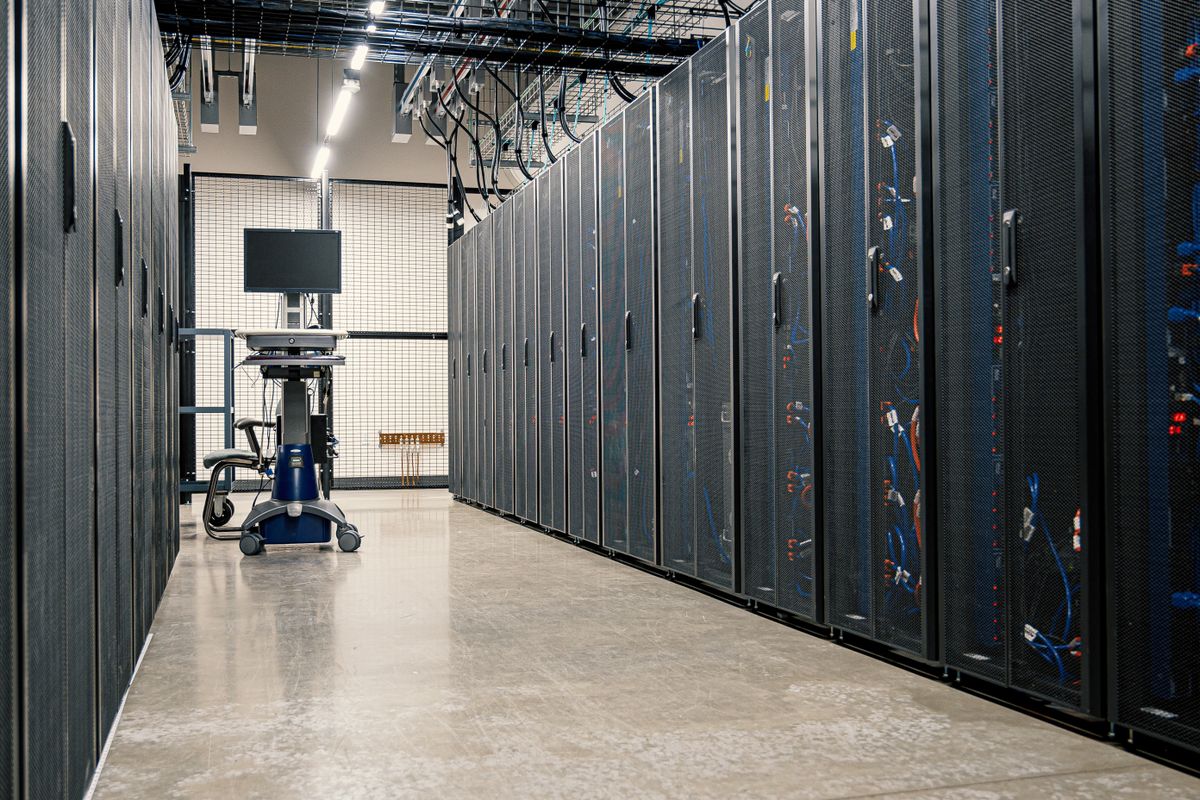
In indie dev circles in 2026, the default story for AI Coding goes like this: buy an M4 Max, install Cursor, and let an Agent rewrite your entire stack. Reality looks different. A 16 GB laptop runs out of RAM between repo indexing and Docker; you close the lid on the commute and a 30-minute Agent run dies mid-patch; npm test and the Agent fight for the same CPU, and you merge two PRs all afternoon. What we test below is this: when AI Coding stalls, the blocker is often not model intelligence but an execution surface tied to a machine that sleeps, overheats, and competes for resources.
Compute rental here is not the “rent a GPU to train a model” playbook. It is about giving your Agent a stable, SSH-able, always-on remote execution surface. You keep the keyboard and screen locally; compile, test, indexing, and long Agent loops run on a cloud Mac or Linux worker. The real efficiency gain is not upgrading Copilot tier—it is splitting “writing code” from “running code” so they no longer share one laptop that also runs your life.
Why local compute becomes an AI Coding bottleneck
Many developers still treat AI Coding as “an extra chat panel in the IDE,” so they optimize for model subscriptions. But 2025–2026 tooling has shifted to long-running Agent loops: Claude Code reads files, runs tests, and edits diffs in the terminal for tens of minutes; Cursor Agent indexes entire monorepos in parallel; MCP hooks databases, browsers, and CI into context. Stack those actions and the bottleneck moves from “enough tokens?” to “can the machine survive the workload?”
Four local ceilings show up again and again for solo developers:
- Memory wall: A 16 GB laptop running IDE, Docker, Chrome, and local embedding indexes hits swap; Agent responses go from seconds to minutes.
- Lid close and sleep: Agent tasks often run 20–40 minutes. Close the lid or lose Wi-Fi and the SSH session drops, leaving half-finished patches hanging.
- Builds competing with Agents: Xcode, Gradle, and
tsc --watchtouch the same files as the Agent. When CPU saturates, the LSP dies first—completions and diagnostics fail together. - Non-reproducible environments: Node 18 locally, Node 20 in a colleague’s Docker image. The Agent says “works on my machine” until CI explodes—wasting Agent turns, not just electricity.
This matches the logic in our guide on remote compute for personal AI Agent clusters: the control plane can stay thin; the execution plane must stay stable. For AI Coding, the execution plane is the remote host that runs shell, holds git state, and parallelizes tests.
How to classify AI Coding workloads
Do not dump every “use AI to write code” task onto one machine. Split by resource profile so you know what to rent and for how long:
- Interaction layer (thin client): Local IDE, browser, SSH client. Almost no compute, but needs low-latency connection to the remote host.
- Orchestration layer: Cursor / Claude Code session state, rules files, MCP config. Best on an always-on remote Mac or Linux console colocated with the repo to avoid file sync.
- Execution layer: Compile, unit tests, E2E, Agent batch edits,
git push. Consumes CPU, memory, and disk I/O—should own a dedicated remote instance, not share with Zoom. - Inference layer (optional): Local or remote small models for completion and private code review. Use APIs (OpenAI / Anthropic) or remote Ollama; decouple from execution so you are not fighting Xcode for unified memory.
The sweet spot for most indie developers: thin laptop for interaction + a remote Mac mini with 24 GB+ RAM for orchestration and execution. When you need iOS signing, Xcode builds, or macOS-only CLIs, a remote Mac is not a luxury—it is the prerequisite for an Agent that can actually verify its work. Pure Linux VPS is cheaper but cannot complete the Apple compile-and-sign chain.
Local, cloud, and hybrid deployment modes
Four mainstream deployment patterns differ in entry point, execution boundary, and where context lives:
| Mode | Entry | Execution | Context / ecosystem | Best for |
|---|---|---|---|---|
| Local only | Local IDE + cloud API | Limited by laptop RAM and thermals; lid close kills jobs | Repo on laptop; fast index but OOM risk | Small repos, short sessions, no CI hookup |
| Cloud only (SSH / VS Code Remote) | Thin client SSH into remote | 7×24 stable; fixed 32 GB+ RAM possible | Code and Agent colocated; MCP reaches internal services | Indie devs, long Agent runs, monorepos |
| Hybrid (recommended) | Local Cursor UI + remote execution | Interaction local; builds and tests on remote worker | Git as single source of truth; machines sync via repo | Solo devs who need portability and steady output |
| API-only (no execution surface) | Web chat / Copilot Chat | Cannot auto-run tests or continuously edit the repo | Context via pasted snippets | Q&A, snippets—not Agent workflows |
If you already use GitHub Copilot or Cursor but Agent mode still stalls halfway, check whether execution still lives on a machine that sleeps before chasing a bigger model.
Scenario decision matrix: what to rent
| Scenario | Repo size | Recommended remote node | Rental strategy |
|---|---|---|---|
| Full-stack web + Cursor Agent | < 50k LOC | Linux 8vCPU / 16 GB or Mac mini 16 GB | Monthly always-on; SSH from local |
| Monorepo + long Claude Code sessions | 100k+ LOC | Mac mini M4 24 GB+ | One fixed machine; index and build colocated |
| iOS / macOS native + Agent | Any | Cloud Mac mini (Xcode colocated) | macOS required; see layered compute approach |
| Multi-project parallel Agents | Multiple repos | 1 console + per-project workers | Align with cloud Agent workflow |
Decision rule of thumb: any Agent session over 30 minutes, or any run that must execute tests to validate, belongs on a remote execution surface. Asking “what does this code mean?” can stay in local chat; asking an Agent to fix code and get CI green on a 16 GB laptop is often false economy.
Recommended stacks: three copy-paste setups
Stack A: fastest start (solo web developer)
Thin laptop + Linux VPS 8 GB + Cursor SSH Remote + cloud API inference. Clone the repo on the VPS; open it via Remote-SSH in Cursor. Agent edits and pnpm test run entirely remote. A fixed monthly VPS often costs less than upgrading the laptop—and lid close no longer kills jobs. Best for indie devs not shipping iOS.
Stack B: Apple ecosystem + Agent (recommended)
Any local keyboard + Cloud Mac mini M4 24 GB + Claude Code / Cursor + GitHub. Xcode, signing, and xcodebuild live on the same machine as the Agent; local is SSH or screen share only. After the Agent edits Swift, it can compile immediately—no “wait until I get home to my MacBook Pro.” This is the shortest closed loop for indie iOS and cross-platform developers shipping AI Coding in 2026.
Console + elastic workers
Fixed small console (Mac or Linux) + burst to high-memory workers for heavy jobs. Daily Agent work stays on the console; full-repo eslint --fix, E2E, or large refactors spin up on a worker branch, finish, then merge. Same cost philosophy as finetuning—control plane always on, GPU on demand—except AI Coding is memory-hungry, not GPU-hungry.
Common mistakes
- Mistake 1: buy the top-spec laptop first—A $2,800 machine still needs a lid close and still travels with you; a 24 GB remote node on monthly always-on often fits long Agent runs better.
- Mistake 2: treat remote as a file share—Use Git as the single source of truth, not hand-rolled rsync. The Agent edits the remote repo; local should be a thin client.
- Mistake 3: inference and execution on one small VPS—Local Ollama 7B + Docker + IDE OOMs the same way. Route inference through APIs; reserve the execution surface for compile and test.
- Mistake 4: ignore latency—SSH across continents at 200 ms+ makes IDE completions feel broken. Pick a region near your timezone, or use mosh / a stable line.
- Mistake 5: no boundaries for the Agent—Remote can run
rm -rf. Use a dedicated Unix user, branch protection, and--dry-runhabits—as serious as the cloud Agent workflow permission model for production. - Mistake 6: rent without doing the math—Compare 24-month TCO of “monthly remote + old laptop” vs “new MacBook Pro.” Most solo devs find remote cheaper and more reliable.
Seven steps to ship remote AI Coding
- Pick execution surface type: Need Xcode / signing → Cloud Mac; pure web → Linux is enough. Write the list of what must run locally (usually empty or very short).
- Provision the remote node: Fixed public IP, SSH key login, password auth off; disk ≥ 256 GB recommended for index + build cache.
- Repo and toolchain in place:
git clone, install Node / Python / Xcode CLT; match production CI versions so the Agent does not fix false greens. - Connect IDE or CLI Agent: Cursor Remote-SSH, or SSH in and run Claude Code; point MCP config at colocated services to cut cross-machine latency.
- Define Agent rules:
.cursor/rules,CLAUDE.mdwith test commands, branch policy, forbidden ops; Agent must run specified test scripts after edits. - Close the first loop: Start with a small ticket (fix lint, add a unit test); Agent opens PR → remote CI green → merge. Log wall-clock time and interruption count.
- Lock in habits: Local only connects via SSH; long jobs run in
tmux; before closing the lid, confirm the Agent lives in a remote session, not a local terminal.
# 1. Log in and create a dedicated dev user
ssh root@your-remote-host
adduser devagent && usermod -aG sudo devagent

# 2. As devagent, install base toolchain
su - devagent
git clone git@github.com:you/your-repo.git
cd your-repo && corepack enable && pnpm install

# 3. Hang long Agent sessions in tmux (survives SSH drop)
tmux new -s agent
# Inside tmux: claude or cursor agent command
# Ctrl+B D to detach; re-ssh and attach after closing lid

tmux attach -t agent
Reference topology: thin laptop + remote Mac execution surface
Summary
Indie developers do not need to save up for an M4 Max before AI Coding pays off. The pragmatic path: thin client locally, rent a stable execution surface remotely—let the Agent read the repo, run tests, and open PRs on a machine that never sleeps; you connect from the laptop whenever you want, instead of making the laptop carry every compile and test job.
Compute rental here is priced in effective coding hours: remote nodes have a fixed monthly cost, but you gain continuous Agent work, parallel builds, and reproducible environments. If your Agent was interrupted three times last week because of lid close or low memory, switching subscriptions matters less than switching execution surfaces. In 2026, knowing how to rent, SSH, and hang tmux on a remote host is as fundamental for solo devs as writing good prompts.
FAQ
Q1. Do I need to rent a GPU for AI Coding?
Most scenarios: no. When you use Claude / GPT APIs or Copilot, inference runs in the vendor cloud; you rent a memory-rich, always-on CPU host (Mac mini or Linux). Only consider GPU when running large local models for completion—and even then, split it from compile workloads.
Q2. Remote Mac vs Linux VPS—how to choose?
Xcode, signing, macOS-only CLI → Mac required; pure web/backend → Linux is cheaper. Do not fight iOS builds on Linux; the Agent will burn turns on “environment not supported” instead of shipping code.
Q3. Can Cursor run entirely on the remote host?
Yes, via Remote-SSH opening a remote folder. Indexing and LSP run on the remote machine; local only renders the UI. Pick a region relatively close to you so latency stays acceptable.
Q4. Monthly remote rental vs buying a new laptop—which wins?
Run 24-month TCO: a maxed MacBook Pro is a large upfront hit; Cloud Mac monthly can scale with project life. If your main bottleneck is long Agent runs and builds, always-on remote plus an old laptop as terminal often costs less overall.
Q5. Is it safe to keep code on a remote host?
Depends on keys and permissions. SSH keys, dedicated users, firewall rules, and never exposing IDE ports publicly; sensitive repos behind private networks or IP allowlists. Same rules as a self-hosted CI runner.
Q6. Why does this article emphasize tmux?
Agent CLI sessions can run for tens of minutes; an SSH drop should not kill the job. tmux keeps the process on the remote host—you reconnect and read output. That is the essential difference between a remote execution surface and a local terminal.
A Mac execution surface that never closes its lid
Hashvps Cloud Mac mini M4 fits the AI Coding remote execution surface role for indie developers: native macOS, enough memory for Xcode and Agent in parallel, dedicated IP for SSH and allowlists. Connect from your laptop anytime; long jobs keep running in the cloud.
If you are upgrading Cursor or Claude Code from “occasional questions” to “ship daily with Agents,” stabilize the execution surface before obsessing over models— View plans and pricing and run your first remote Agent loop on an always-on Cloud Mac.